
MCP Server Setup
How to access the ViroReact MCP Server and integrate it into your agentic workflows.
Build XR faster with the ViroReact MCP
If you're building AR, VR or XR apps with ViroReact, our MCP server is the fastest way to get moving. Think of it as a living guide to ViroReact, always current, that plugs straight into the tools you already use.
Connect it to Claude, Codex, Cursor or any other coding agent, and your agent instantly understands how to work with ViroReact's cross-platform rendering. No hunting through docs, no guesswork. (Our documentation is still a great companion, but the MCP is the most up to date source there is.)
Here's how to get set up. It only takes a minute.
1. Create a Studio account
The MCP is powered by ReactVision's platform, so you'll need a Studio account to authenticate. If you don't have one yet, you can sign up here:
studio.reactvision.xyz/auth/register
2. Connect your agent
Inside Studio you'll find step by step guides for connecting the MCP to your preferred agent or, if you're using Claude you can find the MCP server in their directory. If you'd rather dive straight in, point your agent at the server here:
https://mcp.reactvision.xyz/viro
You'll be asked to sign in with your Studio account and pick the Team you want to use, which is how we keep track of usage.
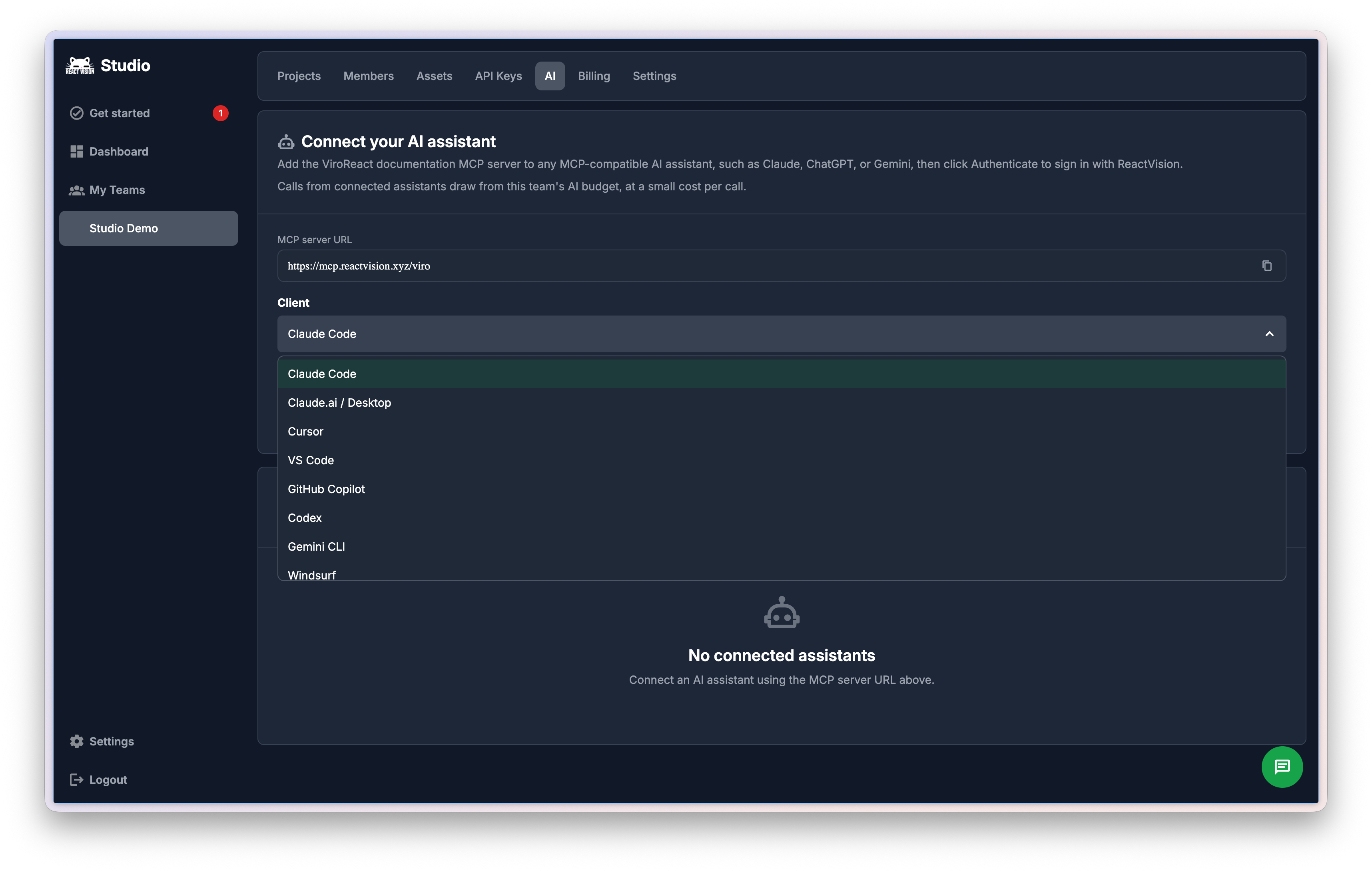
You'll find a guide for connecting the MCP to your preferred tool within Studio
3. Start building
That's it. Once your agent is connected, you're ready to build spatial experiences with the full power of ViroReact behind you. Have fun.
Updated about 2 months ago